
QClaw批量添加视频字幕_腾讯ai龙虾为视频加水印
- GEO小小课堂网 xxkt.org.cn - 阅 4QClaw自动为视频批量添加视频字幕与水印,折腾了半天,也算简单,又挺麻烦,大概这就是人们常说的养龙虾,养好了才能为我们工作。
今天,GEO小小课堂( www.xxkt.org.cn )带来的是《QClaw批量添加视频字幕_腾讯ai龙虾为视频加水印》。希望对大家有所帮助。

一、安装
向QClaw提问后,跟着提示操作,在MAC电脑上安装Xcode等,调出“终端”输入命令如下:

在输入第二个命令后,这个需要等待一个较长的时间,才会出现password界面,这里也是想说,玩龙虾安装程序的时候,可能偶尔很慢,比如5-10分钟。
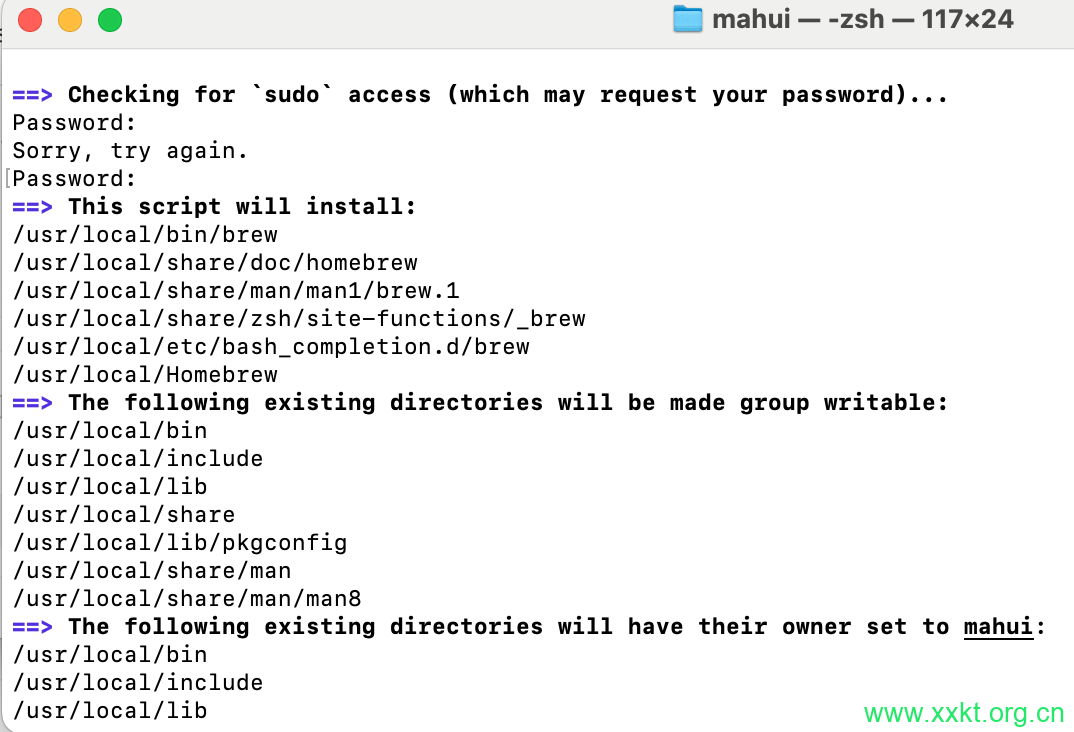
进行到如下图所示时,没注意看,以为是安装好了,结果是让用“终端”一行一行输入命令,而不是复制全部内容。
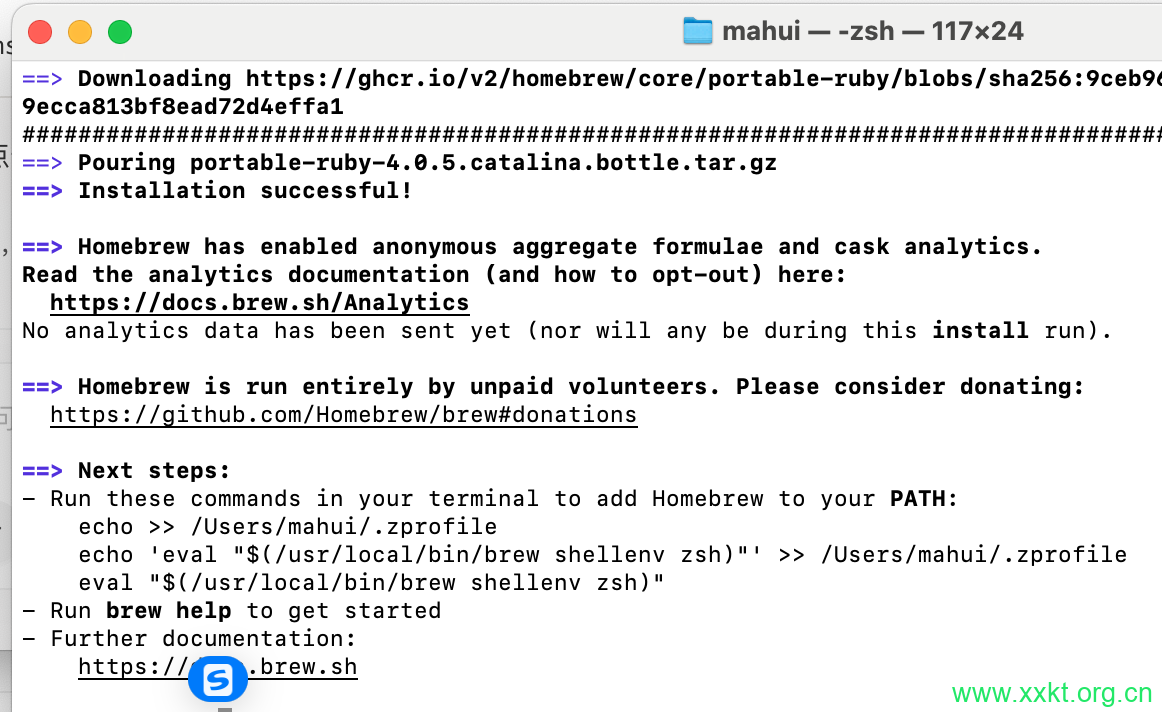
Next steps:
– Run these commands in your terminal to add Homebrew to your PATH:
echo >> /Users/mahui/.zprofile
echo ‘eval “$(/usr/local/bin/brew shellenv zsh)”‘ >> /Users/mahui/.zprofile
eval “$(/usr/local/bin/brew shellenv zsh)”
这玩意就证明一点,现在的龙虾并非完全自动。“终端”输入后的结果如下:
Last login: Mon May 25 02:27:37 on console
/Users/mahui/.zprofile:1: no such file or directory: /opt/homebrew/bin/brew
mahui@192 ~ % echo ‘eval “$(/opt/homebrew/bin/brew shellenv)”‘ >> ~/.zprofile
mahui@192 ~ % eval “$(/opt/homebrew/bin/brew shellenv)”
zsh: no such file or directory: /opt/homebrew/bin/brew
mahui@192 ~ % eval “$(/opt/homebrew/bin/brew shellenv)”
zsh: permission denied: /opt/homebrew/bin/brew
mahui@192 ~ % /bin/bash -c “$(curl -fsSL https://raw.githubusercontent.com/Homebrew/install/HEAD/install.sh)”
==> Checking for `sudo` access (which may request your password)…
Password:
==> This script will install:
/usr/local/bin/brew
/usr/local/share/doc/homebrew
/usr/local/share/man/man1/brew.1
/usr/local/share/zsh/site-functions/_brew
/usr/local/etc/bash_completion.d/brew
/usr/local/Homebrew
Press RETURN/ENTER to continue or any other key to abort:
==> /usr/bin/sudo /usr/sbin/chown -R mahui:admin /usr/local/Homebrew
==> Downloading and installing Homebrew…
error: RPC failed; curl 28 Failed to connect to github.com port 443 after 75000 ms: Couldn’t connect to server
fatal: expected flush after ref listing
Warning: Trying again in 2 seconds: /usr/bin/git fetch –quiet –progress –force origin
fatal: unable to access ‘https://github.com/Homebrew/brew/’: Failed to connect to github.com port 443 after 75025 ms: Couldn’t connect to server
Warning: Trying again in 4 seconds: /usr/bin/git fetch –quiet –progress –force origin
remote: Enumerating objects: 126, done.
remote: Counting objects: 100% (89/89), done.
remote: Compressing objects: 100% (25/25), done.
remote: Total 45 (delta 27), reused 32 (delta 19), pack-reused 0 (from 0)
fatal: unable to access ‘https://github.com/Homebrew/brew/’: Failed to connect to github.com port 443 after 75002 ms: Couldn’t connect to server
Warning: Trying again in 2 seconds: /usr/bin/git fetch –quiet –progress –force –tags origin
==> Updating Homebrew…
==> Installation successful!
==> Homebrew has enabled anonymous aggregate formulae and cask analytics.
Read the analytics documentation (and how to opt-out) here:
https://docs.brew.sh/Analytics
No analytics data has been sent yet (nor will any be during this install run).
==> Homebrew is run entirely by unpaid volunteers. Please consider donating:
https://github.com/Homebrew/brew#donations
==> Next steps:
– Run these commands in your terminal to add Homebrew to your PATH:
echo >> /Users/mahui/.zprofile
echo ‘eval “$(/usr/local/bin/brew shellenv zsh)”‘ >> /Users/mahui/.zprofile
eval “$(/usr/local/bin/brew shellenv zsh)”
– Run brew help to get started
– Further documentation:
https://docs.brew.sh
mahui@192 ~ % echo >> /Users/mahui/.zprofile
mahui@192 ~ % echo ‘eval “$(/usr/local/bin/brew shellenv zsh)”‘ >> /Users/mahui/.zprofile
mahui@192 ~ % eval “$(/usr/local/bin/brew shellenv zsh)”
mahui@192 ~ % brew –version
Homebrew 5.1.13
mahui@192 ~ %
二、批量处理视频
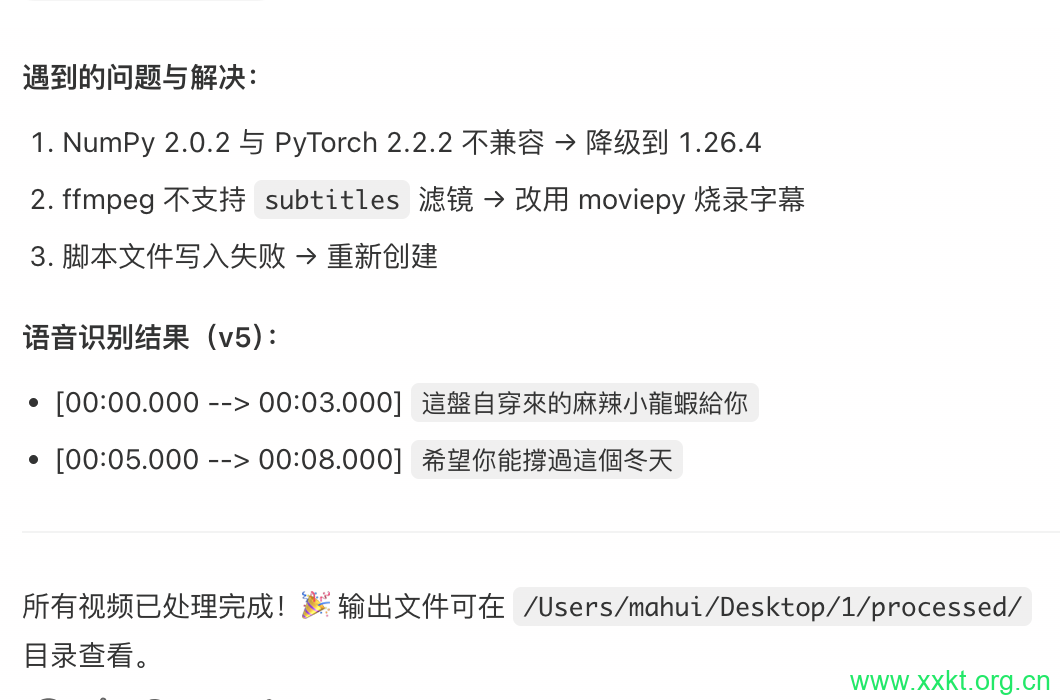
当上述都完成后,可能还会出现各种安装,以及各种方法,龙虾给出的解决方案并不是唯一的。先完成单个视频处理,当龙虾完成能够胜任后,再进行批量处理。
以上就是GEO小小课堂网( https://www.xxkt.org.cn/ )带来的是《QClaw批量添加视频字幕_腾讯ai龙虾为视频加水印》。感谢您的观看。
文章最后更新时间:五月 25, 2026
非特殊说明,本文为小小课堂SEO自学网原创,欢迎转载并保留版权 https://xxkt.org.cn/
本站提供SEO培训、咨询、诊断,微信(电话):13722793092 微信公众号:xxktorg


发表评论